1. Click the “Login” button at the top right of the YouNoodle website and enter your YouNoodle account and program.
2. Go to the Form Builder section under the Judge round in the left side menu.
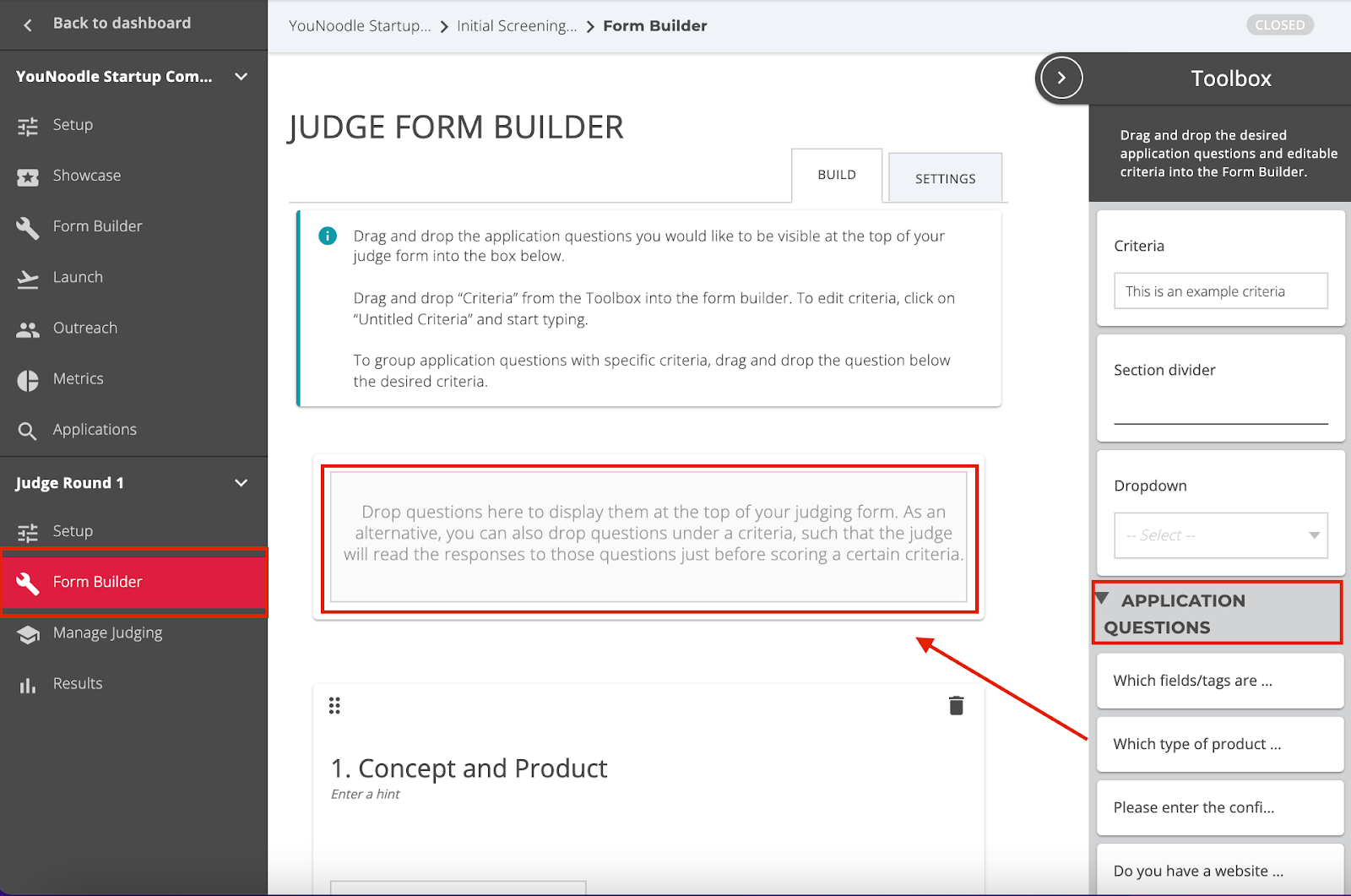
a) In the toolbox to the right side of the page, you will see all the questions previously created in the Application form, Personal Form, and Recommender Form.
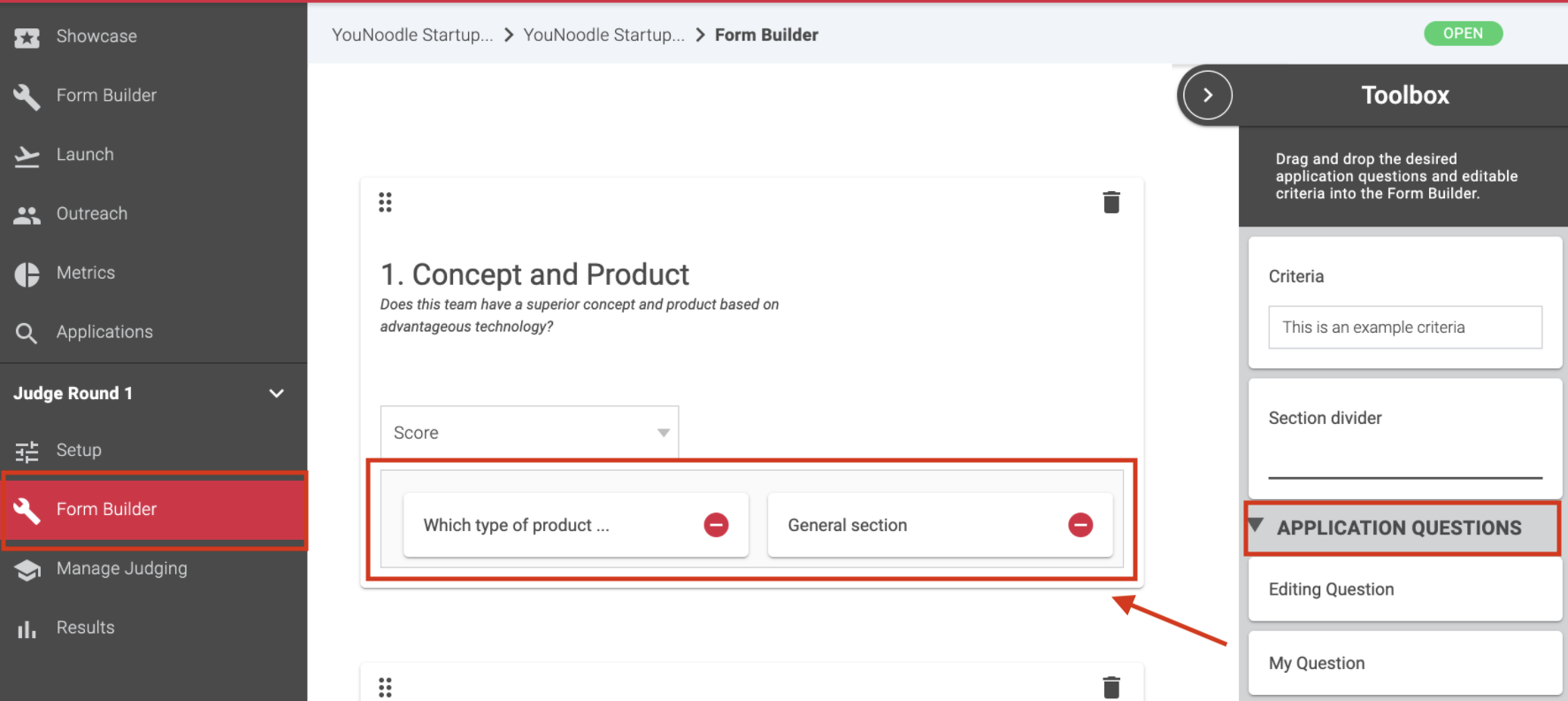
b) Drag and drop all the application questions from the toolbox that you would like the judges to evaluate in order to score the criteria. Note: Application questions can be added at the top of the form or linked directly to a specific criteria.
To display on top of the judging form, drag and drop the question from the toolbox to the grey rectangle at the beginning of the form builder page.
To display directly on a specific criteria, drag and drop the question from the toolbox under the desired criteria.